> For the complete documentation index, see [llms.txt](https://docs.m-xr.com/llms.txt). Markdown versions of documentation pages are available by appending `.md` to page URLs; this page is available as [Markdown](https://docs.m-xr.com/marso-measure/using-results/blender.md).
# Blender
Follow this page for guidance when using your asset in Blender.
***
## Using your asset in Blender
1. Import your mesh from the alembic. (Camera's can be hidden or deleted)
2. Choose your settings, set 'Render Engine' to 'Cycles' and 'Device' to 'GPU Compute'.
3. Apply your textures, see below for choices:
#### [Blender Cycles - Recommended ](#blender-cycles-recommended-1)
#### [Blender Cycles Specular Workflow - Experimental](#blender-cycles-specular-workflow-experimental-1)
***
## Applying Textures
{% tabs %}
{% tab title="Blender Cycles - Recommended" %}
{% hint style="info" %}
Marso Measure’s default texture output BlenderCyles is designed for Blender’s Principle BSDF shader which is a **metallic-workflow** - however, we have had difficulties delivering the metallic texture map.
{% endhint %}
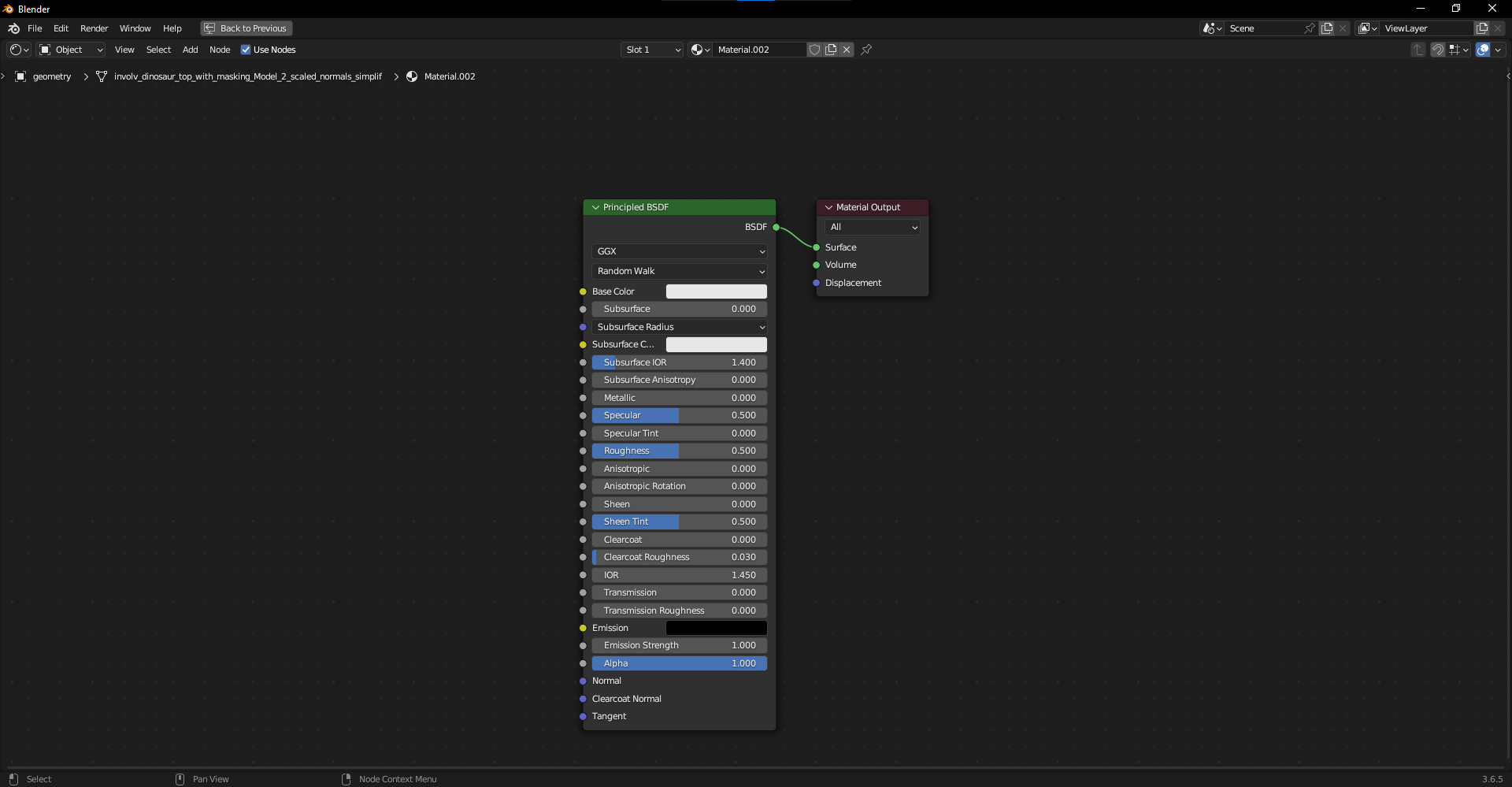
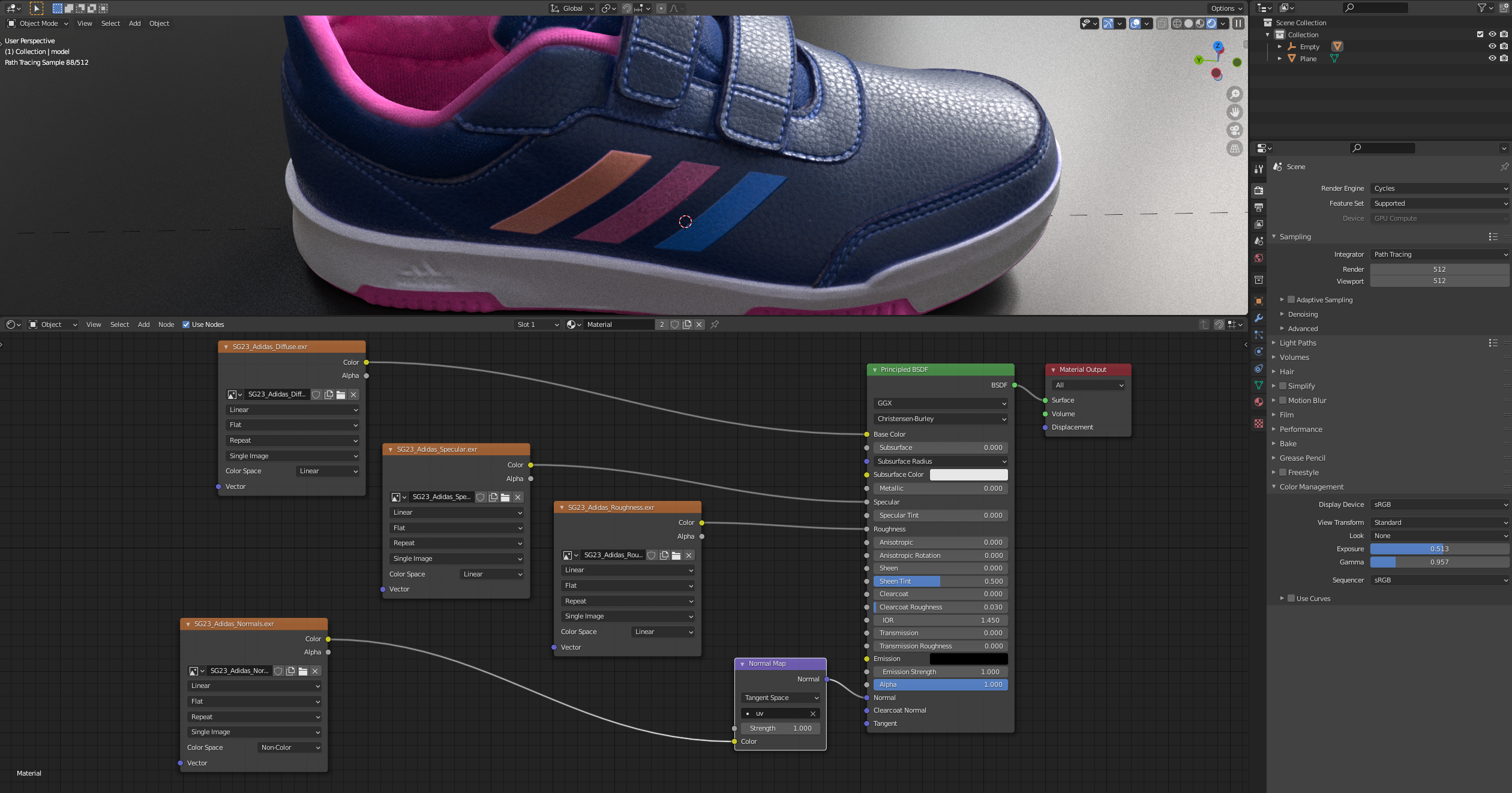
1. In the shading workspace, create a material on your mesh object by going to: Add > Shader > Principled BSDF.
2. Load in each of your image textures using an image node. Connect them up as shown below, being careful to set all of their 'Color Space' to 'Linear' (when exr) except 'Normals' which should be set to 'Non-Color' and should go into the shader through a 'Normal Map' node with the UV map selected.
{% endtab %}
{% tab title="Blender Cycles Specular Workflow - Experimental" %}
{% hint style="info" %}
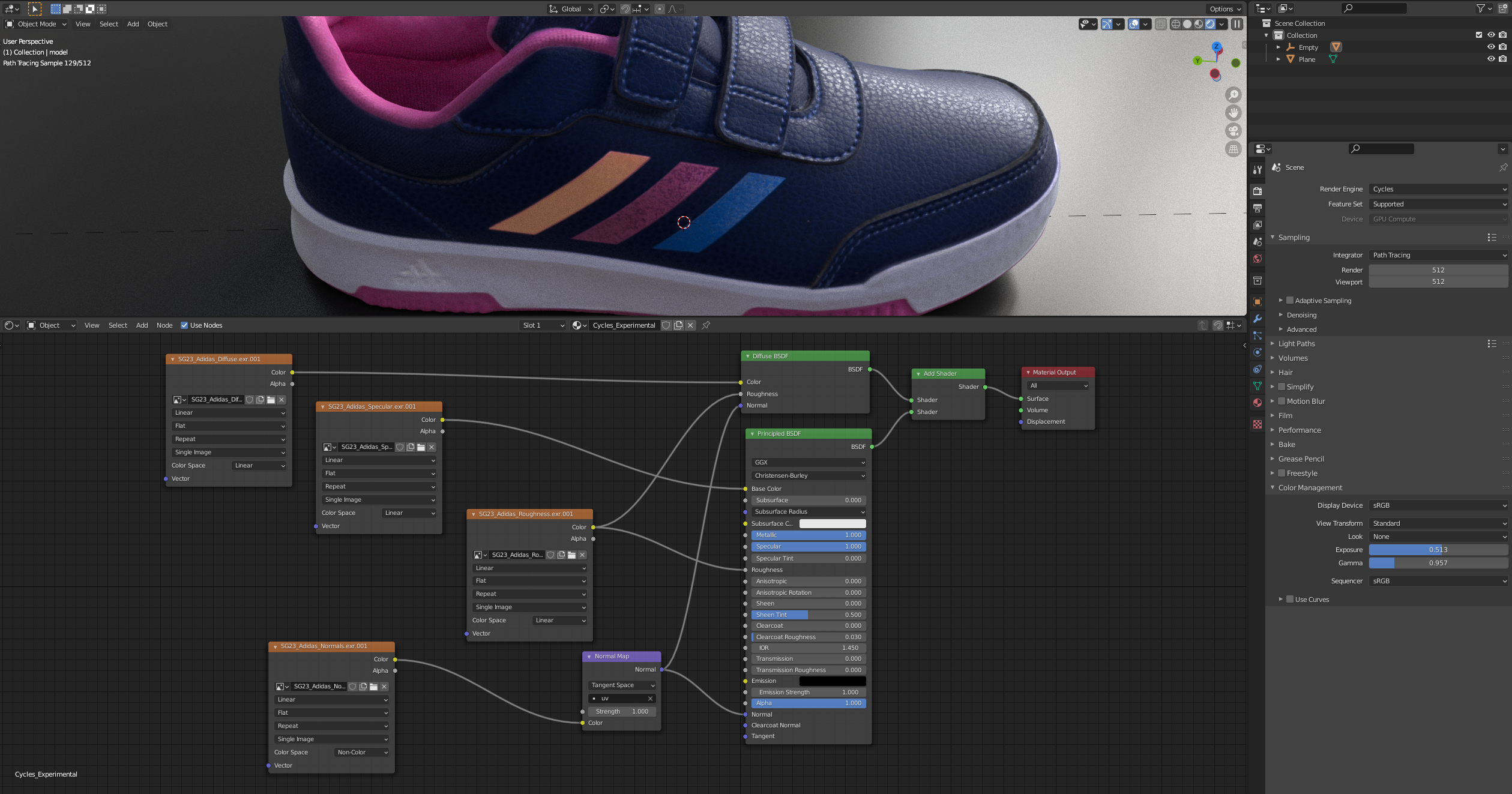
For Marso Measure’s new specular workflow, a custom node-graph is required, as BlenderCycles does not natively support a true specular workflow.
{% endhint %}
1. For our experimental specular workflow , you will need to use the ‘Add Shader’ node to add a Principle BSDF shader to a Diffuse BSDF shader. It is important that you also set Metallic & Specular to 1 as shown below.
{% endtab %}
{% endtabs %}
---
# Agent Instructions
This documentation is published with GitBook. GitBook is the documentation platform designed so that both humans and AI agents can read, navigate, and reason over technical content effectively. Learn more at gitbook.com.
## Querying This Documentation
If you need additional information that is not directly available in this page, you can query the documentation dynamically by asking a question.
Perform an HTTP GET request on the current page URL with the `ask` query parameter, and the optional `goal` query parameter:
```
GET https://docs.m-xr.com/marso-measure/using-results/blender.md?ask=&goal=
```
`ask` is the immediate question: it should be specific, self-contained, and written in natural language.
`goal` is optional and describes the broader end goal you are ultimately trying to accomplish on behalf of the user. GitBook uses it to tailor the answer towards what is most useful for that goal.
The response will contain a direct answer to the question and relevant excerpts and sources from the documentation.
Use this mechanism when the answer is not explicitly present in the current page, you need clarification or additional context, or you want to retrieve related documentation sections.